 by
Description
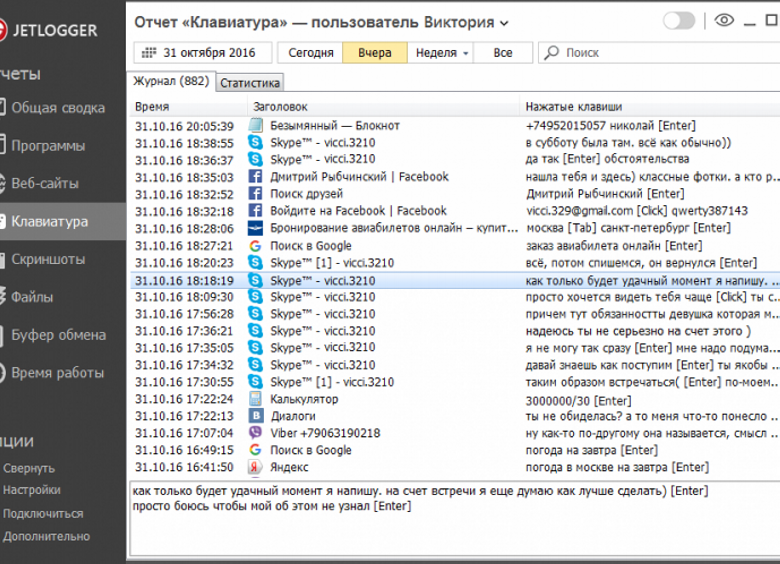
Screenlogger is a keylogger program that captures pictures of the desktop of your PC at specified intervals, remembering logins, passwords, keyboard text, clipboard data, search queries, visited sites, Skype, ICQ and other chat programs, which is useful for information security in order to parental control or monitoring the work of employees.
The main characteristics of ScreenLogger:
- Memorization of all keystrokes on the keyboard.
- Friendly interface of the Screenlogger program.
- Clipboard logging.
- Logs in Search engines, websites and social networks, messengers, files.
- Search over Screenlogger data logs.
- Log Calendar.
- Search by data archive.
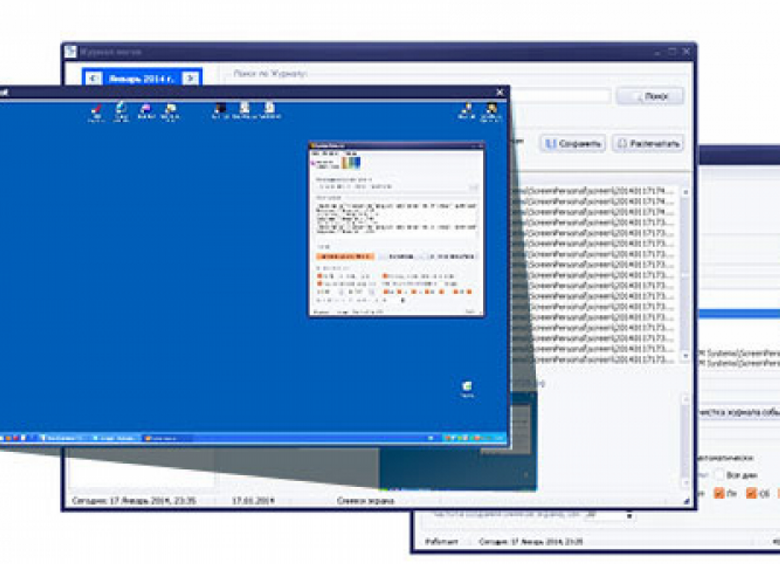
- Frequency-controlled screenshots.
- Customizable auto-deletion of screenshots.
- Preview of screenshots in the log and zoom in on click.
- Works in MS Windows XP, NT, 2000, 2003, 2008, Vista, W7, 8, 2012.
- Hidden mode of the Screengrader.
- Run and work on a schedule.
- Quick access via icon in Tray-menu (if not hidden).
- Favorites function in Screenlogger’s log.
- Saving data to MS Excel or HTML files.
- Data filtering (show useful data, ignore useless data).
- Password for access to the program.
- Exclusion of appearance in the Install-Uninstall Programs list.
- Printing. Data is formatted for printing. A4 format.
- System load from 0.10 to 2.15%.
- Collapses into Tray-menu or can hide from the user at all, opening only when you press a certain combination of keys on the keyboard of the computer.
- Access to the main interface of the program is password-protected as a preventive method of access to the accumulated data and settings, which makes this version of the program even more reliable.
- It can also work on a computer not connected to the Internet.
- 24 Hours Free Test.
- Instant activation in the most convenient way from the official website of the program.


Description
Screenlogger is a keylogger program that captures pictures of the desktop of your PC at specified intervals, remembering logins, passwords, keyboard text, clipboard data, search queries, visited sites, Skype, ICQ and other chat programs, which is useful for information security in order to parental control or monitoring the work of employees.
The main characteristics of ScreenLogger:
- Memorization of all keystrokes on the keyboard.
- Friendly interface of the Screenlogger program.
- Clipboard logging.
- Logs in Search engines, websites and social networks, messengers, files.
- Search over Screenlogger data logs.
- Log Calendar.
- Search by data archive.
- Frequency-controlled screenshots.
- Customizable auto-deletion of screenshots.
- Preview of screenshots in the log and zoom in on click.
- Works in MS Windows XP, NT, 2000, 2003, 2008, Vista, W7, 8, 2012.
- Hidden mode of the Screengrader.
- Run and work on a schedule.
- Quick access via icon in Tray-menu (if not hidden).
- Favorites function in Screenlogger’s log.
- Saving data to MS Excel or HTML files.
- Data filtering (show useful data, ignore useless data).
- Password for access to the program.
- Exclusion of appearance in the Install-Uninstall Programs list.
- Printing. Data is formatted for printing. A4 format.
- System load from 0.10 to 2.15%.
- Collapses into Tray-menu or can hide from the user at all, opening only when you press a certain combination of keys on the keyboard of the computer.
- Access to the main interface of the program is password-protected as a preventive method of access to the accumulated data and settings, which makes this version of the program even more reliable.
- It can also work on a computer not connected to the Internet.
- 24 Hours Free Test.
- Instant activation in the most convenient way from the official website of the program.
Versions
Download App ScreenLogger
3.8.73
x32/x64
(1.94 MB)